A review of low back pain published in JAMA on June 15, 2026, reports that about 72% of people with a new (acute) episode of nonspecific pain recover by 12 months, and that the first steps are reassurance, staying active and simple measures such as heat, not prolonged rest. For anyone whose lower back aches after long days at a desk, that means the pain is common and usually not a sign of serious disease, sitting itself has not been shown to cause it, and the first-line advice is to keep moving and, if pain lasts past 12 weeks, to exercise.
Six weeks later, on July 29, 2026, England's National Institute for Health and Care Excellence (NICE) updated its low back pain guideline, withdrawing its recommendations on psychological therapy and on combined physical and psychological programs; its advice against routine imaging, belts and opioids for chronic pain stayed.
Key takeaways
- Low back pain is the world's leading cause of years lived with disability; 39% of US adults reported back pain over three months in 2019.
- A systematic review of workplace studies found strong, consistent evidence of no association between occupational sitting and low back pain.
- In studies that follow people from the start of an acute episode, average pain falls by about half within six weeks; the American College of Physicians (ACP) recommends heat, massage, acupuncture or spinal manipulation first.
- For pain lasting more than 12 weeks, exercise of any type is first-line care, and a 2024 Lancet trial found that a walking program delayed the next episode.
- Loss of bladder or bowel control, numbness between the legs or around the buttocks, leg weakness, unexplained fever, a hard fall or a cancer history need prompt assessment.
What it means for you
- New low back pain (under six weeks): keep up normal activities as far as pain allows, use heat, and expect most of the improvement, on average, within six weeks.
- Pain lasting more than 12 weeks: the JAMA review lists exercise, psychological therapy and combined programs as first-line, and ACP and WHO also recommend exercise and psychological therapy; NICE has withdrawn its own psychological-therapy recommendations without ruling against them. NICE and WHO advise against opioids for chronic pain, and ACP keeps them as a last resort.
- Remote workers at a kitchen table or sofa: if the chair lacks the adjustments OSHA lists, a footrest and a rolled towel are OSHA's own stand-ins.
- People with a sit-stand desk: none of the guidelines cited here lists a desk or chair as a treatment; they focus on activity and exercise.
- Older workers: back pain becomes more common with age (45.6% of US adults 65 and over in 2019), scans often show disc wear in people with no pain, and NICE asks prescribers to weigh age before offering NSAIDs.
- People with sciatica-type leg pain: pain below the knee, or leg numbness or weakness, is a reason to contact a clinician right away, and NICE advises against gabapentinoids, oral steroids and benzodiazepines for sciatica.
Why so many desk workers have it
Low back pain is common in almost every group of people, desk workers included. The Global Burden of Disease (GBD) study, published in The Lancet Rheumatology in May 2023, estimated 619 million cases worldwide in 2020 and projected 843 million by 2050, about 36% more. Age-standardized rates fell by about 10% from 1990 to 2020, so the rising count reflects larger, older populations, not higher individual risk. In the US, a 2021 National Center for Health Statistics data brief found that 39.0% of adults had back pain in the previous three months of 2019, rising from 28.4% at ages 18–29 to 44.3% at 45–64.
The 2018 Lancet series on low back pain found that for nearly all people with low back pain no specific cause can be identified. This "nonspecific" pain describes about 90% of people who seek care, according to the 2026 JAMA review by Cashin, Chou, Weimer and McAuley. The review lists obesity, depressive symptoms, occupational exposures such as heavy lifting, smoking, chronic disease and previous low back pain as risk factors.
What the evidence says about sitting
A 2010 systematic review in The Spine Journal (Roffey and colleagues) found strong, consistent evidence of no association between occupational sitting and low back pain, and moderate evidence of no dose-response trend. Its authors concluded that sitting at work is unlikely to cause low back pain on its own in the worker groups studied. A later 2020 review of 41 systematic reviews (Swain and colleagues) found that reviews reported both positive and null associations between low back pain and postures such as sitting, standing, bending and twisting, and no consensus that any of them causes it.
Noticing pain while sitting is not the same as sitting having caused it. If roughly two in five adults have back pain over three months, many will feel it during whatever fills their day, and for office workers that is desk time. None of the guidelines cited here lists a new chair or desk as a treatment.
What helps in the first six weeks
The JAMA review calls low back pain acute when it has lasted less than six weeks, subacute at six to 12 weeks, and chronic after 12 weeks. For any new pain, its first step is reassurance that serious disease is unlikely and advice to stay active, avoid prolonged rest and use symptom relief such as heat. NICE's guideline likewise asks clinicians to encourage people to continue with normal activities (NICE NG59).
For treatments, the 2017 ACP guideline says that because most people with acute or subacute pain improve regardless of treatment, the first choice should be a non-drug option: superficial heat (moderate-quality evidence), massage, acupuncture or spinal manipulation (low-quality evidence). If medicine is wanted, it recommends a nonsteroidal anti-inflammatory drug (NSAID, such as ibuprofen) or a skeletal muscle relaxant.
How fast pain usually eases
A 2024 CMAJ meta-analysis (Wallwork and colleagues) pooled cohorts followed from the start of an episode, scoring pain from 0 to 100. In the acute group, average pain was 56 at the start, 26 at six weeks, 22 at 26 weeks and 21 at one year. That is a drop of about 54% in six weeks (from 56 to 26), then little further change. In the persistent-pain group, average pain went from 56 to 40 over a year, about 29% lower (very low-certainty evidence). Most improvement in a new episode comes early; pain still present at three months improves far more slowly, which is why guidelines treat it differently.
Pain lasting more than 12 weeks
Once pain has lasted more than 12 weeks, the JAMA review names exercise of any type, psychological therapies such as cognitive behavioral therapy (CBT), and combined programs as first-line treatment, along with spinal manipulation, massage and acupuncture, with NSAIDs as second-line. The outlook is slower than for new pain: the review reports that about 42% of people with chronic nonspecific pain recover within 12 months. Support for exercise comes from the 2021 Cochrane review of exercise therapy for chronic low back pain (Hayden and colleagues), which pooled 249 trials. Compared with no treatment, usual care or placebo, exercise lowered pain by about 15 points on a 0–100 scale, a clinically important difference (moderate-certainty evidence); the gain in day-to-day function, about 7 points, fell below the reviewers' threshold for an important change.
The World Health Organization guideline released on December 7, 2023 covers chronic primary low back pain in adults and lists 14 interventions that should not be routinely offered to most people. The main guidelines largely agree, with a few differences worth knowing:
| Option | ACP (2017) | NICE NG59 (updated July 2026) | WHO (2023, chronic pain only) |
|---|---|---|---|
| Exercise | Recommended for chronic pain | Consider group exercise programs | Recommended |
| Spinal manipulation, massage | Both for acute pain; only manipulation listed for chronic pain (low-quality evidence) | Only as part of a package that includes exercise | Recommended |
| Acupuncture | Recommended | Do not offer | Not named in WHO's summary |
| Psychological therapy (such as CBT) | Recommended for chronic pain | Recommendations withdrawn in July 2026; area not prioritized for update | Recommended |
| NSAIDs | Acute pain: a first-choice medicine; chronic pain: first-line medicine if non-drug care has not helped enough | Consider, at the lowest effective dose for the shortest time | Recommended |
| Opioids | Only after other treatments fail, after discussing risks | Do not offer for chronic pain | Not recommended for most people |
| Belts, braces, traction | Not in its recommendations | Do not offer | Not recommended for most people |
The NICE change is easy to misread. On its update information page, NICE says it withdrew the recommendations because its prioritization board did not put these areas forward for update, as it did not consider a review likely to lead to significant changes in practice; the recommendations page adds that a surveillance review found the withdrawn recommendations may be out of date. Either way, this is a decision not to re-review the evidence, not a finding that psychological therapy fails; NICE also removed references to psychological therapy from its recommendations on risk stratification and manual therapy. The JAMA review still lists CBT as first-line.
Walking to keep it from coming back
Recurrence is common. The WalkBack randomized trial, published in The Lancet in June 2024, enrolled 701 Australian adults (average age 54) who had recently recovered from an episode. Half received an individualized, gradually increasing walking program with education and six physiotherapy sessions over six months; the rest received no treatment. The median time to the next activity-limiting episode was 208 days with walking versus 112 days without, 96 days longer (hazard ratio 0.72, meaning the recurrence rate at any given time was about 28% lower). About half of each group had at least one adverse event (52% versus 54%), but the walking group had more events affecting the legs (100 versus 54). Most participants (81%) were women.
Short breaks from sitting through the workday are a separate question; the guidelines here focus on overall activity and exercise rather than a break schedule.
Setting up a chair for your back
A chair setup is about comfort while working, not a cure. The OSHA computer workstations eTool on chairs checklist also works at home:
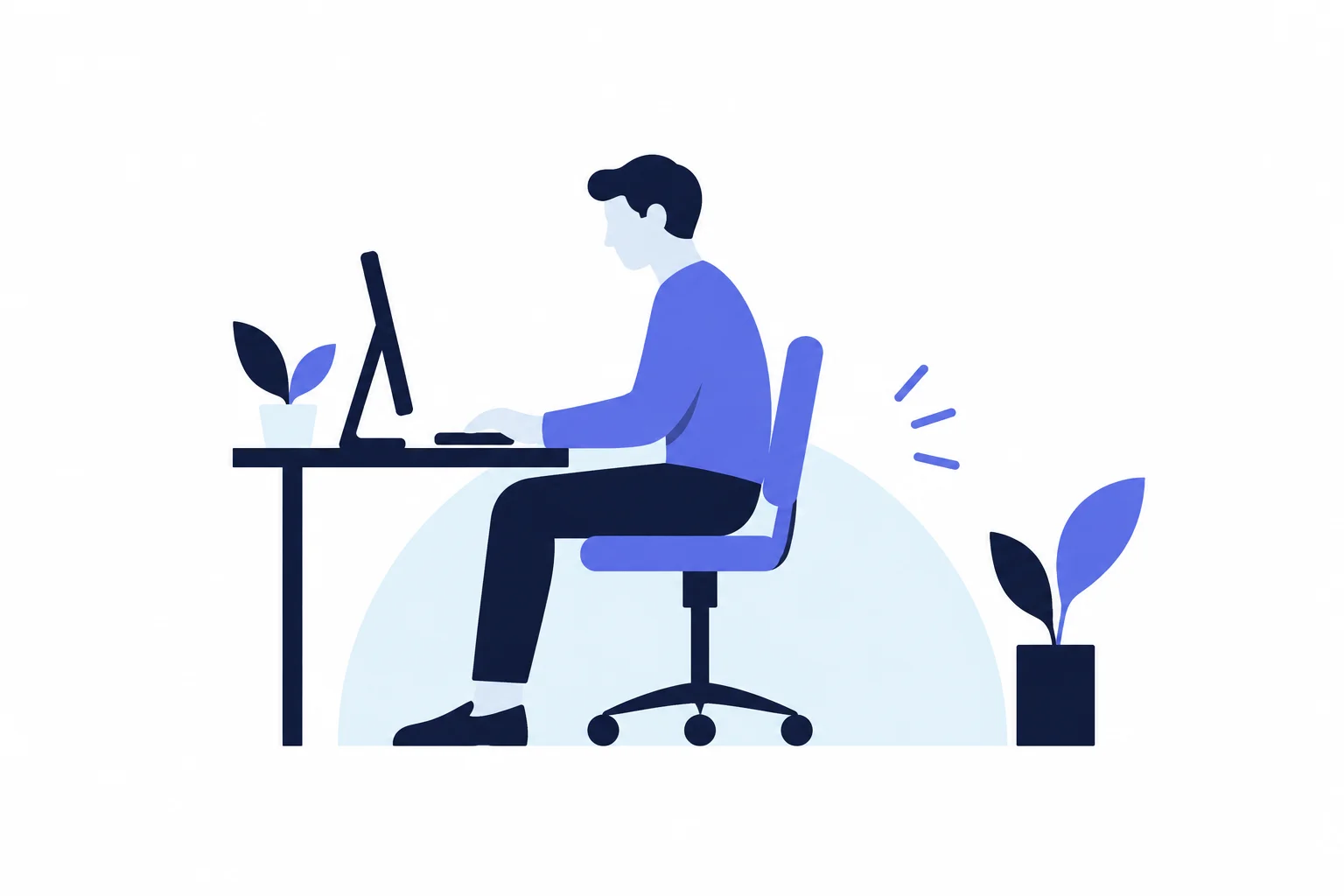
- Lumbar support: the backrest should support the natural curve of the lower back; if it does not, a rolled towel or removable cushion can fill the gap.
- Seat height: the whole sole of each foot should rest on the floor, with the back of the knee slightly higher than the seat. If the seat cannot go that low without the keyboard or monitor ending up too high, use a footrest.
- Seat depth: the seat should support most of the thigh without touching the back of the knee, so shorter users can sit all the way back.
Warning signs that need care fast
A few symptoms point to a serious cause. This article is general education, not medical advice; a licensed clinician who examines you can say what applies to your back. MedlinePlus (National Library of Medicine, reviewed June 2026) says to contact a provider right away for:
- back pain after a severe blow or fall, or with a history of cancer;
- loss of control over urine or stool;
- pain traveling down the legs below the knee, weakness or numbness in the buttocks, thigh, leg or pelvis, or trouble walking or keeping your balance;
- unexplained fever with back pain, burning with urination or blood in the urine;
- redness or swelling on the back or spine;
- pain that is worse lying down or wakes you at night, or severe pain that allows no comfortable position.
It also says to contact a provider for unintended weight loss, steroid or injected drug use, an episode that is different from earlier ones and feels worse, and pain lasting longer than four weeks.
Bladder or bowel changes with numbness between the legs, over the buttocks or in the inner thighs can signal cauda equina syndrome, a rare condition in which the bundle of nerve roots at the lower end of the spinal cord is compressed. The American Academy of Orthopaedic Surgeons describes it as a surgical emergency for which immediate surgery is usually recommended, so these symptoms call for emergency care the same day.
Frequently asked questions
Do I need an MRI or X-ray for back pain?
Usually not. ACP advice on high-value care says imaging for low back pain is indicated only for severe or progressive nerve problems or signs of a serious underlying condition, and that routine imaging brings no meaningful benefit but can cause harm; NICE also advises against routine imaging outside specialist care. Scans often find changes that are not causing pain: a 2015 review of people without back pain found disc degeneration in 37% of 20-year-olds and 96% of 80-year-olds.
Is acetaminophen alone enough for low back pain?
NICE NG59 says not to offer paracetamol (acetaminophen) alone for low back pain, and ACP's first-choice medicines for acute pain are NSAIDs or skeletal muscle relaxants. NICE adds that NSAIDs carry stomach, liver, kidney and heart risks, so the lowest effective dose for the shortest time is advised.
Should I use ice or heat on a sore lower back?
The ACP guideline rates superficial heat as a first-line option for acute pain, backed by moderate-quality evidence. MedlinePlus suggests ice for the first 48 to 72 hours and heat after that.
Should I stay off work with back pain?
The JAMA review advises people to continue usual activities, including work, and to avoid prolonged rest, and NICE asks clinicians to promote and support a return to work or normal daily activities. MedlinePlus says bed rest is not recommended, and suggests cutting back only for the first couple of days and avoiding heavy lifting and twisting for the first six weeks.
Is low back pain more common in women?
Yes. The JAMA review reports an age-standardized prevalence of 9,330 per 100,000 females versus 5,520 per 100,000 males, about 1.7 times higher. In the US 2019 survey, 40.6% of women and 37.2% of men reported back pain in the previous three months.
A first-week plan at the desk
- Check the warning-signs list; if any item applies, contact a clinician.
- Keep working and moving as far as pain allows; skip heavy lifting and twisting for now.
- Use heat for comfort; if medicine is wanted, an NSAID is the option ACP and NICE both name, provided it is safe with your age and other conditions, which a pharmacist or clinician can check.
- Set the chair: feet flat or on a footrest, seat clear of the back of the knee, lower back supported.
- Note the start date. Contact a provider if the episode lasts longer than four weeks; past 12 weeks, ask about an exercise program.
- Once it settles, build a gradually increasing walking routine, the approach tested in WalkBack.
Sources
- Cashin AG, Chou R, Weimer MB, McAuley JH. Low Back Pain: A Review. JAMA, published online June 15, 2026
- NICE NG59: Low back pain and sciatica in over 16s, last updated July 29, 2026
- NICE NG59: Update information (July 2026 withdrawal of psychological therapy and combined programme recommendations)
- World Health Organization: WHO releases guidelines on chronic low back pain, December 7, 2023
- Qaseem A et al. Noninvasive treatments for acute, subacute, and chronic low back pain: ACP guideline. Annals of Internal Medicine, 2017
- GBD 2021 Low Back Pain Collaborators. Global burden of low back pain, 1990–2020, with projections to 2050. The Lancet Rheumatology, 2023
- National Center for Health Statistics: Back, lower limb, and upper limb pain among US adults, 2019 (Data Brief No. 415)
- Hartvigsen J et al. What low back pain is and why we need to pay attention. The Lancet, 2018
- Roffey DM et al. Causal assessment of occupational sitting and low back pain. The Spine Journal, 2010
- Swain CTV et al. No consensus on causality of spine postures or physical exposure and low back pain. Journal of Biomechanics, 2020
- Wallwork SB et al. The clinical course of acute, subacute and persistent low back pain. CMAJ, 2024
- Hayden JA et al. Exercise therapy for chronic low back pain. Cochrane Database of Systematic Reviews, 2021
- Pocovi NC et al. WalkBack randomized controlled trial. The Lancet, 2024
- OSHA Computer Workstations eTool: Chairs
- MedlinePlus: Low back pain, acute (reviewed June 27, 2026)
- American Academy of Orthopaedic Surgeons OrthoInfo: Cauda equina syndrome
- Chou R et al. Diagnostic imaging for low back pain: advice for high-value health care from the ACP. Annals of Internal Medicine, 2011
- Brinjikji W et al. Imaging features of spinal degeneration in asymptomatic populations. AJNR, 2015