Eyes Never Get A Break
Screen time used to mean sitting at a desktop computer for a few hours. Now it starts before breakfast. You check your phone at 6:40 a.m., stare at Slack until lunch, stream something after dinner, then scroll in bed with the lights off because your brain refuses to power down.
The average adult now spends more than 7 hours per day on screens outside work, according to DataReportal and consumer media studies. Office workers often push past 10 hours total. Kids are climbing too. The American Academy of Child and Adolescent Psychiatry says teenagers average roughly 8.5 hours daily on entertainment screens alone.
Your eyes notice all of it.
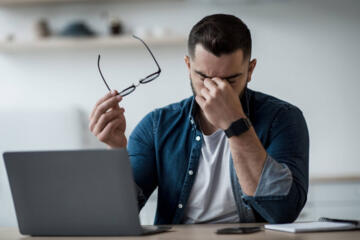
Digital eye strain, sometimes called computer vision syndrome, includes dry eyes, blurred vision, headaches, neck pain, and sensitivity to light. The symptoms sound small until they start stacking together at 3 p.m. every afternoon.
Unlike reading paper, screens force the eyes to constantly refocus because pixels have fuzzy edges. Add glare, tiny fonts, poor posture, and blue-heavy lighting, and your eye muscles stay engaged longer than they were built for. The body adapts for a while. Then the headaches start...
Why The Problem Keeps Growing
People assume eye strain only affects programmers or gamers. It reaches much further now.
Delivery drivers stare at navigation screens for 9 hours. Teachers grade assignments on tablets at night. Warehouse workers scan inventory with handheld devices all shift long. Even grocery shopping became screen-based once self-checkout machines and digital coupons moved in.
Screens followed us everywhere.
The real issue is not a single device. It is constant switching between distances. Your eyes jump from phone to monitor to traffic to smartwatch to TV. That repeated refocusing tires the ciliary muscles that control near vision.
Blinking also drops sharply during screen use. Humans normally blink around 15 to 20 times per minute. During concentrated device use, that number can fall by half. Less blinking means tears evaporate faster, which explains the burning sensation many people feel late in the day.
Then there is sleep disruption. Bright screens after 10 p.m. suppress melatonin production, making it harder to fall asleep. Poor sleep creates more eye fatigue the next day, which pushes people toward caffeine and more screen zoning-out after work. The cycle feeds itself quietly.
It sneaks up slowly.
Ways To Reduce The Strain
Follow the 20-20-20 rule
Eye doctors repeat this advice because it works. Every 20 minutes, look at something 20 feet away for 20 seconds.
The point is not magical numbers. The pause relaxes focusing muscles that stay locked on near objects for hours. Most people notice reduced tension after 2 or 3 days of doing it consistently.
Skip perfectionism here. Looking out the office window counts. So does focusing on a hallway wall while your coffee reheats.
Move screens lower
Many monitors sit too high. People place laptops on stands, then spend the day staring upward with wide-open eyes.
That position dries the eyes faster because more surface area stays exposed. Eye care clinics often recommend placing the top of the monitor slightly below eye level instead.
Small adjustment. Big difference.
Lower screens also reduce neck tension, which matters because many “eye strain headaches” actually begin in the shoulders and upper back.
Increase text size aggressively
People tolerate tiny fonts for no good reason. Phones ship with compact settings because designers care about aesthetics more than comfort.
Bump text size up 15% or 20%. Increase browser zoom to 125%. On Windows and macOS, scaling settings take under 60 seconds to change.
Your eyes stop working overtime when they no longer need microscopic focusing corrections all day long.
Fix the lighting first
Harsh overhead lighting creates more problems than most screens themselves. Bright reflections force the eyes to compete with glare while trying to read.
Position monitors perpendicular to windows instead of directly facing them. Use warm lamps in the evening rather than cold white LEDs blasting from above.
Avoid working in darkness too. The glowing-screen-in-a-dark-room setup many people use after midnight feels relaxing at first, but the contrast strains the eyes quickly.
Your setup matters more.
Use artificial tears carefully
Lubricating eye drops can help with dryness, though not all products are equal. Preservative-free drops tend to irritate less during frequent use.
Doctors often suggest brands like Refresh, Systane, or Blink for mild digital dryness. If you need drops more than 3 or 4 times daily for weeks at a time, get checked by an eye doctor instead of guessing.
Dry eye disease became much more common after remote work expanded. Eye clinics across the U.S. reported heavier patient demand between 2020 and 2024, especially among adults under 40.
Turn on night modes earlier
Blue-light filtering modes do not solve everything, despite what gadget marketing says. But warmer screens at night can reduce discomfort and help sleep timing.
Apple Night Shift, Android Bedtime Mode, and Windows Night Light all reduce cooler tones automatically after sunset. Start the shift around 7 p.m., not midnight.
Late changes help less.
Brightness matters too. Many people leave phones at 100% brightness indoors because automatic settings overshoot under artificial lighting.
Get real eye exams
Skip the pharmacy reading glasses if symptoms persist for months. Eye strain sometimes masks underlying vision changes, astigmatism, or dry eye conditions that worsen over time.
The American Optometric Association recommends eye exams every 1 to 2 years for most adults. Children using tablets heavily may need closer monitoring because early myopia rates have climbed sharply worldwide.
Researchers in East Asia now report myopia rates above 80% among some student populations. Genetics matter. So does spending entire childhoods indoors staring 14 inches from a screen...
What Happens In Real Life
A 29-year-old marketing manager in Chicago thought she had migraines for nearly a year. The pain started around 4 p.m. daily and spread behind her eyes during client calls. Her setup included two monitors placed above eye level and a phone brightness setting permanently maxed out.
After an optometrist visit, she lowered both monitors, switched to lubricating drops twice daily, increased text size, and began taking short focus breaks every half hour. Within 3 weeks, the headaches dropped from five days per week to one or two.
The fixes were boring.
Another example came from a logistics company in Texas that adjusted workstation lighting for 60 dispatch employees. The company replaced harsh overhead fluorescents with indirect lighting and encouraged workers to take 5-minute distance-viewing breaks every hour.
Internal health surveys reportedly showed fewer complaints about headaches and eye fatigue after roughly 2 months. Productivity did not magically explode. Employees just felt less drained by late afternoon.
Daily Habits Checklist
| Habit | Time | Benefit | Cost |
|---|---|---|---|
| Breaks | 20sec | Less fatigue | $0 |
| NightMode | 7pm | Better sleep | $0 |
| EyeDrops | 2x | Less dryness | $10 |
| TextZoom | 125% | Easy reading | $0 |
Common Mistakes People Make
The biggest mistake is waiting too long to change anything. People normalize discomfort because everyone around them complains about tired eyes too.
Another bad habit is buying expensive blue-light glasses before fixing obvious setup problems. A badly positioned monitor and 6 straight hours without breaks will overwhelm any fancy coating.
Marketing gets loud here.
People also underestimate hydration and air quality. Dry indoor heating, fans pointed toward the face, and low humidity make digital dryness worse. Winter office environments are brutal for this.
Then there is the bedtime scrolling trap. Many adults stare at phones from 11 p.m. until sleep hits because the habit feels passive and relaxing. The brain stays stimulated longer than people realize, and eye muscles never fully unwind before morning starts again.
Kids need attention too. Some parents hand tablets to toddlers for 4 or 5 hours daily, then wonder why outdoor play suddenly feels “boring” to them.
FAQ
Can screen time permanently damage eyesight?
Digital screens do not appear to permanently damage eyesight directly, but they can worsen dryness, fatigue, headaches, and nearsightedness progression in some people, especially children with heavy close-up viewing habits.
Do blue-light glasses actually work?
Some users report reduced glare or better comfort at night, though research results remain mixed. They help less than proper lighting, regular breaks, and lower brightness settings.
How many hours of screen time is too much?
There is no universal cutoff, but symptoms tend to rise sharply once people spend 6 to 8 continuous hours focused on near screens without meaningful breaks.
Why do my eyes burn after using my phone?
Burning often comes from reduced blinking and tear evaporation during concentrated screen use. Brightness, dry indoor air, and holding phones too close can worsen the sensation.
Should children get regular eye exams for screen use?
Yes. Pediatric eye exams help catch vision changes early, especially as myopia rates continue climbing among children spending more time indoors with tablets and phones.
Author's Insight
I noticed my own screen fatigue getting worse once remote work blurred the line between work devices and downtime devices. The strange part was how long I ignored obvious fixes. I kept blaming stress while sitting 18 inches from two bright monitors for 9 hours every day.
The biggest improvement came from smaller adjustments, not dramatic detox plans. Lower brightness, larger text, more distance breaks, and fewer midnight scrolling sessions changed more than any productivity app ever did...
Summary
Eye strain from screens is becoming ordinary because screens became constant. Phones, laptops, tablets, and LED lighting now dominate work, entertainment, communication, and even shopping.
Most people do not need to abandon technology to feel better. Short focus breaks, lower glare, warmer evening lighting, proper screen positioning, and regular eye exams can reduce headaches, dryness, and fatigue noticeably within weeks. Your eyes can handle a lot. They just were not built for nonstop pixels from sunrise to midnight.